How does load management work in TTMS Fleet Mini?
Fleet Mini treats the load as the central operational record. A load can connect its ordered stops, assigned driver, truck and trailer, status events, route information, documents, expenses and trip-envelope review.
TTMS FLEET MINI
Loads,
in your pocket.
Organize trucking loads, assignments, equipment, routes, stop progress, documents and trip costs in a mobile load-management workspace.
Explore the app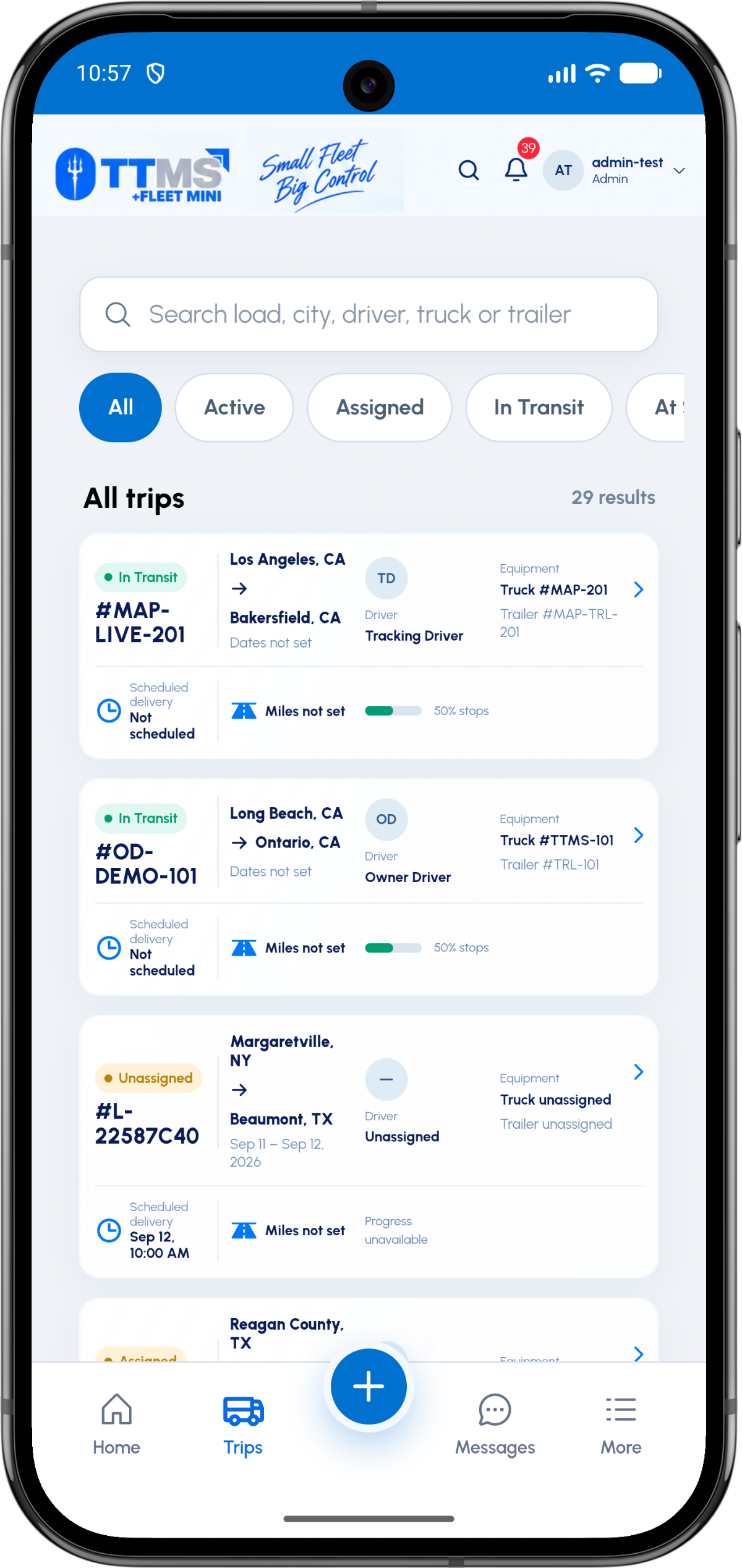
- Central entity
- Load
- Relationships
- Stops, driver, truck, trailer, documents and costs
- Progress model
- Events and stop completion
- Completion control
- Trip-envelope review
One load, one operating context
A load should not be only a row in a dispatch list. It is the place where assignments, stops, documents, costs and operational events meet.
Keeping these relationships intact makes search, review and exception handling more reliable on both owner and driver screens.
Status should describe real work
Useful status changes correspond to events such as assigned, en route, at pickup, loading, in transit, at delivery and delivered. Exceptions such as detention or missing POD need their own visible state.
A timeline preserves when the event occurred and which stop or document it belongs to.
Close with evidence
A delivered label alone does not mean the operational record is complete. The load can still need a POD, final expense, mileage review or settlement check.
Trip-envelope review creates a deliberate completion gate before the driver and equipment are considered available.
OPERATIONAL SEQUENCE
A workflow an owner and driver can both follow
The route ribbon makes the relationship between actions visible. Each step leaves context for the next person and the final review.
- 1Create or import load
- 2Add ordered stops
- 3Assign driver and equipment
- 4Track status and exceptions
- 5Review completion evidence
QUESTIONS & ANSWERS
Questions fleets ask
What information belongs on a load?
Core information includes identifiers, customer or broker references, freight, equipment needs, ordered stops, rate context, assignments, status events and documents.
Can the same load have more than one pickup?
Yes. Ordered stop records allow multiple pickups and multiple deliveries within one load.
How are documents connected to a load?
Each document can carry a document type, load ID, optional stop ID, uploader, timestamp and review status.
When is a load complete?
Operational completion should require the delivery event plus any required document, mileage, expense and envelope checks configured by the fleet.
Last reviewed: September 18, 2026. Product scope and terminology checked against the current mobile experience.