What should a fleet know before using TTMS Fleet Mini?
Fleet Mini is a mobile companion for TTMS Fleet customers. It supports owner, driver and owner-driver workflows around loads, stops, phone-based trip visibility, documents, expenses, equipment, communication and reviewed trip records.
TTMS FLEET MINI
Answers,
in your pocket.
Get direct answers about TTMS Fleet Mini users, loads, multi-stop trips, phone tracking, documents, expenses, messages, reports and ELD boundaries.
Explore the app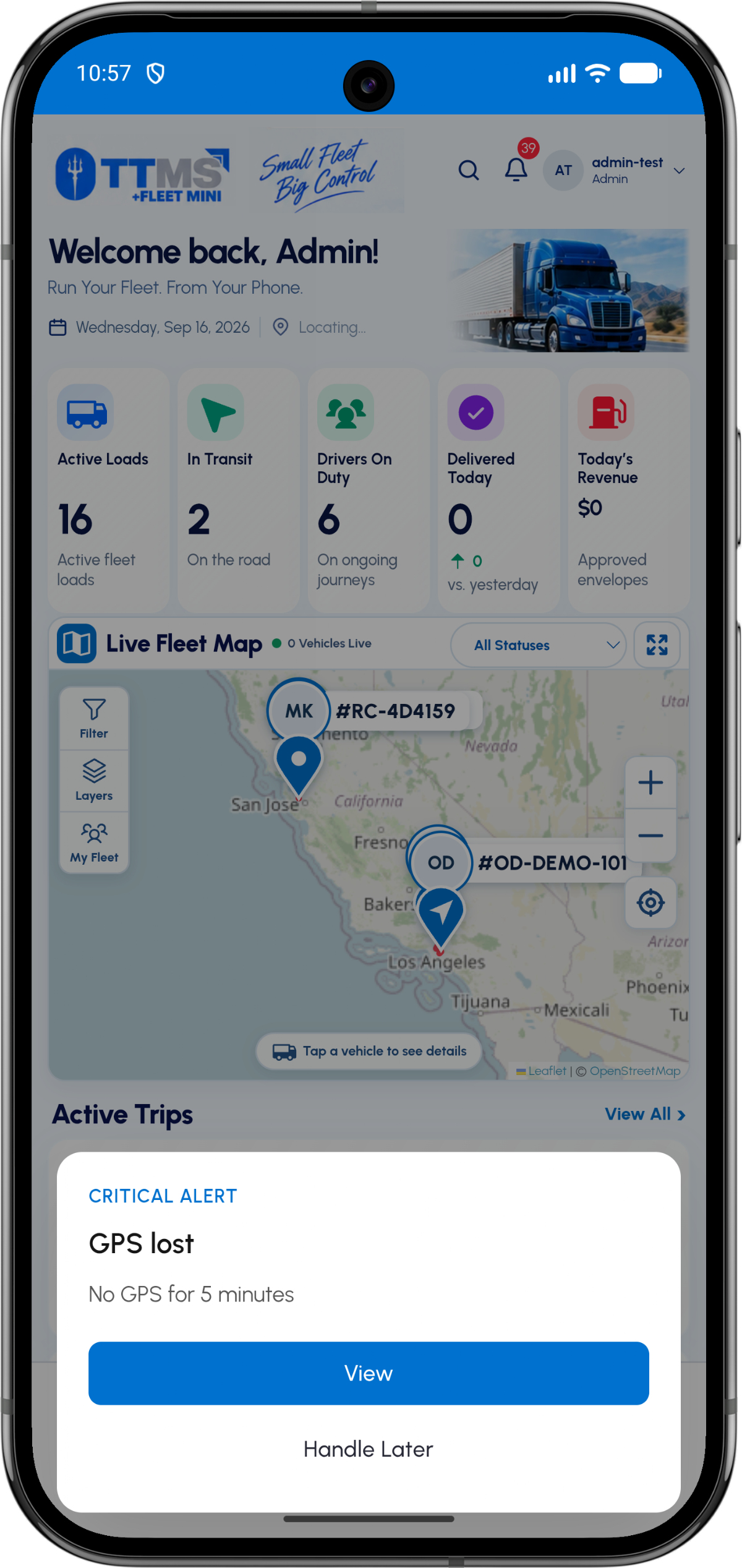
- Access model
- Existing-customer sign-in and Get Started contact
- Roles
- Owner, driver and owner-driver
- Data boundary
- Public product pages; private operational records
- Official Android ID
- com.ttms.fleetmini
Product and access
Existing fleet customers can sign in through the application. New customers can use the Get Started path to contact TTMS about account setup.
Role-specific screens keep driver tasks separate from owner controls.
Operational scope
Fleet Mini covers mobile load and trip work. Public pages explain the product; actual fleet records remain behind authentication.
Phone tracking supports operational visibility and is not represented as a certified ELD replacement.
Records and review
Documents, expenses and messages become more useful when connected to a load or stop. Trip envelopes provide a review step before work is treated as fully complete.
Exports organize source records for operational or accountant review without replacing professional accounting advice.
OPERATIONAL SEQUENCE
A workflow an owner and driver can both follow
The route ribbon makes the relationship between actions visible. Each step leaves context for the next person and the final review.
- 1Choose the relevant role
- 2Open the assigned or active load
- 3Complete stop and record actions
- 4Review trip evidence
- 5Use reports or history as needed
QUESTIONS & ANSWERS
Questions fleets ask
Can anyone browse the private Fleet Mini dashboard?
No. Operational screens and customer data require authorized access; only public product and knowledge pages should be indexed.
Does Fleet Mini work for a single owner-operator?
Yes. The owner-driver flow supports a person who both manages the business and performs trips.
Can drivers upload multiple documents?
Yes. Real pickup, delivery and exception events may need several pages, receipts or photos.
Does Fleet Mini support live fleet visibility?
The app can show permitted phone-based active-trip location context, signal freshness and operational alerts.
Can Fleet Mini manage truck and trailer records?
Yes. Separate equipment profiles can hold identifiers, documents, odometer context and assignment status.
Where is the Android app listed?
The official app is available on Google Play under package ID com.ttms.fleetmini.
Last reviewed: September 18, 2026. Product scope and terminology checked against the current mobile experience.